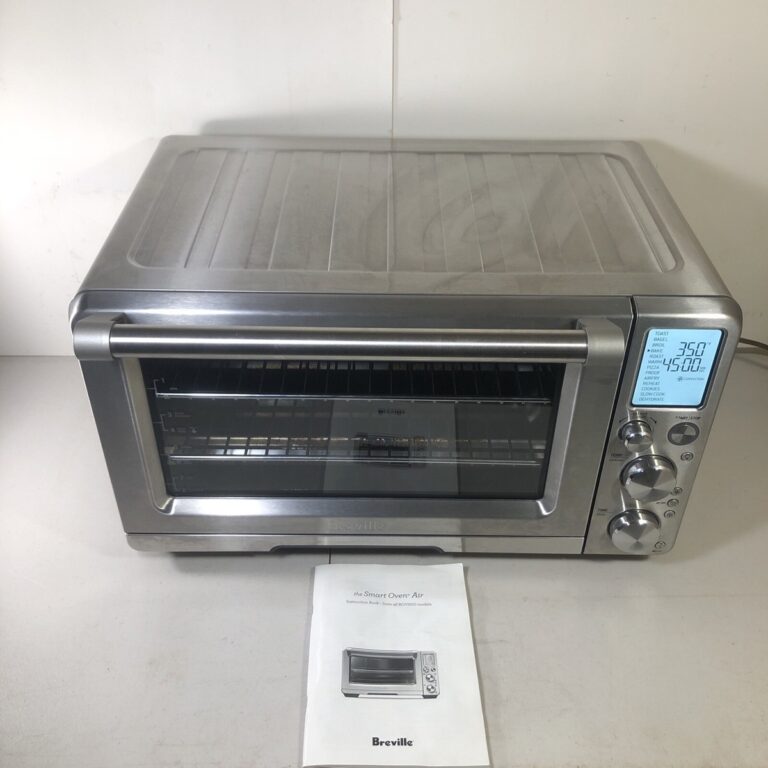
KitchenAid oven stopped working because of power, control board, or faulty heating element issues.
As someone who has repaired and tested dozens of home ovens, I know how frustrating it is when your KitchenAid oven stopped working right before dinner. This guide walks you through clear troubleshooting steps, common causes, realistic repair options, warranty advice, and simple maintenance tips so you can diagnose the problem calmly and decide whether to fix it yourself or call a pro.

Why a KitchenAid oven stopped working
Most KitchenAid oven failures fall into a few predictable categories. The oven may not receive power, the control electronics can fail, heating elements or ignitors can break, or safety systems like thermal fuses and door locks can trip. Understanding these groups helps you focus your checks and save time.
Common scenarios where a KitchenAid oven stopped working:
- No display or lights even when the range has power.
- Display works but oven won't heat.
- Oven heats intermittently or only on one element.
- Error codes appear on the control panel.
Knowing these patterns helps you decide if the issue is a simple reset or a part replacement. I will walk through the most likely causes and what to test first.

Step-by-step troubleshooting when your KitchenAid oven stopped working
Follow these steps in order. Keep safety first: turn off power at the breaker before testing electrical components or removing panels.
- Check power and basic connections
- Confirm the circuit breaker hasn't tripped. Reset it if needed.
- Verify the outlet or hardwired connection is supplying power. A multimeter helps.
- Inspect the range cord and plug for damage.
A surprising number of calls I handled were solved by a tripped breaker or loose plug.

- Inspect the control panel and error codes
- Look for error codes on the display. Write them down.
- Try a soft reset: turn off power at the breaker for 60 seconds and restore.
- If the display is blank but other electrical parts work, the control board or display board may be faulty.
Error codes often point to exact failures; note them for repair searches.

- Test heating elements and ignitors
- For electric ovens, visually inspect bake and broil elements for breaks or blisters.
- For gas ovens, check the ignitor glow. If it doesn’t glow or is weak, it won’t open the gas valve.
- Use a multimeter to test continuity of elements and ignitors.
In one repair I did, the bake element looked intact but measured open circuit and replacement restored function.

- Check thermal fuses, temperature sensors, and thermostats
- A failed temperature sensor can prevent heating or cause incorrect temp readings.
- Some models use thermal fuses that blow when overheating occurs.
- Measure sensor resistance and compare to expected values in the service manual.
A bad sensor can make the oven believe it's already hot. Replacing it often fixes intermittent heating.

- Look at door switches and lock mechanisms
- If the door lock is engaged or the door switch is faulty, self-clean cycles or safety failures can leave the oven disabled.
- Test the switch for continuity and inspect the latch for mechanical damage.
I once fixed an oven that would not start because the latch microswitch lost contact after a banged door.

- Inspect wiring and connectors
- Loose or burned connectors, damaged insulation, or rodent-chewed wires can interrupt power to components.
- Look for discoloration, melting, or brittle wires around high-heat areas.
Repair or replace damaged wiring harnesses; always follow safety rules and power off first.
Common parts that fail when a KitchenAid oven stopped working
Knowing which parts wear out most often helps you source replacements and estimate repair costs.
Typical failing parts:
- Control board or display module
- Bake element, broil element, or cooktop elements
- Ignitor (for gas ovens)
- Temperature sensor or thermostat
- Thermal fuse or high-limit thermostat
- Relay switches and wiring harnesses
Parts prices vary. Elements and sensors are inexpensive and often easy to swap. Control boards and ignitors cost more and may require a service call. When replacing parts, use OEM or high-quality aftermarket parts for reliability.
When to repair yourself and when to call a technician
Simple checks and swaps are good DIY tasks if you’re comfortable with basic tools and safety steps. Call a technician if:
- You are unsure how to safely shut off power or access internal components.
- The issue involves gas connections, gas valves, or leaking gas smell.
- The control board or complex wiring needs diagnosis.
- The oven is under warranty — call authorized service first.
From my experience, replacing elements and sensors is a common DIY win. Replacing a control board or addressing gas issues is usually best left to certified technicians.
Warranty, service, and cost considerations when a KitchenAid oven stopped working
Before you pay for parts or labor, check warranty status and service options.
Steps:
- Locate your purchase date and serial number for warranty checks.
- Contact KitchenAid support or the retailer for authorized service options.
- Compare estimates from a certified technician vs. local repair shops.
- Ask if the tech provides a parts warranty and labor guarantee.
Document phone calls and quotes. If your oven is older, weigh repair cost against a replacement; sometimes repair exceeds the oven’s remaining expected life.
Preventive maintenance to avoid a KitchenAid oven stopped working again
Regular care reduces the chance your KitchenAid oven stopped working suddenly.
Maintenance tips:
- Clean spills and grease promptly to avoid overheating and sensor issues.
- Run self-clean only when recommended and never interrupt it mid-cycle.
- Inspect door seals and hinges for wear to maintain proper temps.
- Test preheat behavior and address small issues early.
- Schedule professional service every few years for gas safety checks or electrical inspections.
I learned the hard way that letting spills accumulate around the ignitor led to early failure. Cleanliness pays off.
Practical examples and real-life fixes
Example 1: No display, no heat
- Symptom: Oven and display dead, range lights off.
- Fix: Tripped breaker and a partially damaged range cord. Replaced cord and reset breaker. Oven worked.
Example 2: Display works but no bake
- Symptom: Display active; broil works but bake does not.
- Fix: Bake element failed continuity. Replaced element; oven heated normally.
Example 3: Oven starts then shuts off
- Symptom: Oven heats then shuts down mid-cycle.
- Fix: High-limit thermostat was tripping due to blocked vent. Cleared vent and replaced thermostat.
Real-world fixes often start with the simplest checks and extend to parts replacement if needed.
PAA-style quick questions (common user intents)
Why won’t my KitchenAid oven heat but the clock works?
- This usually means the control board is sending power to the display but either the heating element, ignitor, or relay is faulty. Test elements and ignitor continuity.
Why does the oven show an error code then stop?
- Error codes point to specific sensors or control faults. Note the code and consult the service manual or a technician for targeted repairs.
Is it safe to use the oven if it heats inconsistently?
- Intermittent heating can be unsafe, especially with gas units. Stop using the oven until you diagnose the cause or get professional service.
Frequently Asked Questions of KitchenAid oven stopped working
Why is my KitchenAid oven completely dead with no lights?
Check the circuit breaker and power connection first. If power is present externally, the internal control board, main terminal block, or the range cord may be faulty.
My oven display works but it won’t reach temperature. What should I check?
Test the bake element or ignitor for continuity and inspect the temperature sensor for proper resistance. A faulty sensor or element commonly causes this issue.
I smell gas near my KitchenAid oven—what do I do?
Turn off the gas supply and avoid using electrical switches. Ventilate the area and call your gas company or a certified technician immediately.
The self-clean cycle stopped my oven from working. Why?
Self-clean cycles run very hot and can trip thermal fuses or damage components. Check for blown fuses or locked door mechanisms and consult service if you find damage.
How much does it cost to repair a KitchenAid oven?
Minor repairs like elements or sensors are typically affordable, while control board or gas-valve repairs are pricier. Get multiple estimates and check warranty before committing.
Conclusion
When your KitchenAid oven stopped working, start with power and simple checks, then move methodically through controls, elements, sensors, and wiring. Small fixes often resolve the problem, but don’t hesitate to call a professional for gas issues, complex electronics, or if you’re unsure. Take action now: run the basic checks listed here, note any error codes, and decide whether a DIY repair or professional service makes the most sense. If this guide helped, consider subscribing or leaving a comment about your oven issue so we can help troubleshoot further.