Most beast blenders stop working due to motor overload, power issues, or worn parts.
I’ve fixed and diagnosed dozens of kitchen blenders, and when your beast blender stopped working it can feel like breakfast plans crumbling. This guide walks you through clear, expert steps to diagnose the problem, fix common faults, and decide when repair or replacement makes sense. You’ll get practical troubleshooting, parts to check, maintenance tips, cost guidance, and real-life lessons from my repair experience so you can get your beast blender back to blending quickly.

How to diagnose why your beast blender stopped working
Start simple and safe. Check power, listen for sounds, and look for visible damage. Many problems hide behind an easy fix.
- Make sure the outlet works by testing another appliance.
- Inspect the power cord for cuts, kinks, or a loose plug.
- Try different speed settings and listen for humming or clicking.
- Remove the jar and test the base only (if the model allows) to isolate motor issues.
- Look for burnt smells, smoke marks, or oil leaks around the base.
If the beast blender makes no sound at all, the issue is often electrical. If it hums but won’t spin, the motor or coupling may be faulty. If it starts then dies, thermal protection or overload is likely. These quick checks narrow the cause fast.

Common causes when a beast blender stopped working
Here are the typical reasons your beast blender stopped working, and what each means.
- Power source problems
- Tripped breaker, bad outlet, or faulty cord can stop power flow.
- Overload and thermal cutoff
- Heavy blending can trip a thermal fuse or motor protector.
- Worn brushes or motor failure
- Carbon brushes wear down on brushed motors, causing loss of power.
- Faulty switch or control board
- Buttons, speed knobs, or internal electronics can fail.
- Broken coupling, drive socket, or blade assembly
- Mechanical wear stops blades from turning even if the motor runs.
- Blade bearing or seized jar
- Grit, dried food, or rust can lock the jar assembly.
- Safety interlocks
- If the lid or jar isn’t seated, some beast blender models won’t start.
- Water damage or corrosion
- Liquid ingress damages wiring and electronics.
Knowing these causes helps you pick the right fix. Most issues cluster around power, motor, and mechanical wear.
Step-by-step troubleshooting to try at home
Follow these steps in order. Stop and seek help if you smell burning, see smoke, or find exposed live wires.
- Safety check
- Unplug the beast blender before any inspection or disassembly.
- Confirm outlet power
- Plug a lamp or phone charger into the same outlet.
- Inspect the cord and plug
- Replace the cord if it’s damaged or frayed.
- Test the jar and lid
- Remove the jar and run the base briefly if your model allows.
- Reset thermal protector
- Let the unit cool 30–60 minutes. Some models have a reset switch on the base.
- Clean the blade and coupling
– Remove food debris, grease, and rust. Lubricate the coupling lightly if recommended. - Check the blade assembly
- Tighten or replace the blade, gasket, or jar if damaged.
- Swap outlets or extension cords
- Avoid cheap extension cords that reduce voltage to your beast blender.
- Inspect motor brushes (if user-serviceable)
- Replace worn carbon brushes following the manual.
- Replace fuse or call pro
- If an internal fuse is blown or the control board is dead, consider professional repair.
These steps fix many common problems. If the beast blender still won’t work after these, it’s likely a motor or electronics failure that needs parts or expert service.

Parts, repair options, and cost expectations
Repair or replace? Here’s what to consider, with rough cost ranges.
- Power cord replacement
- Cost: low. DIY-friendly for many models.
- Blade, gasket, or jar replacement
- Cost: low to moderate. Often the easiest fix.
- Coupling or drive socket
- Cost: moderate. Common wear item on high-use machines.
- Motor brushes
- Cost: low parts, moderate labor. Good value if brushes are accessible.
- Thermal fuse or reset switch
- Cost: low to moderate. Replacing a fuse can restore function.
- Control board or motor replacement
- Cost: high. Often approaches or exceeds the price of a new unit.
If your beast blender is under warranty, always check first. For older models, compare repair cost vs. buying new. If a motor or electronic board needs replacement, replacement often makes more sense unless you have a premium model worth saving.
Maintenance tips to prevent a beast blender stopped working again
Simple care prolongs life and reduces failures.
- Avoid overfilling the jar.
- Use pulsing for thick mixes to reduce motor load.
- Cut solid foods into smaller pieces before blending.
- Clean the jar and base seals after each use.
- Let hot liquids cool slightly to prevent pressure on the lid.
- Store the unit dry and away from humidity.
- Regularly inspect the power cord and plug.
- Replace blade gaskets every 6–12 months if you use the blender often.
Good habits lower wear on the motor and coupling. Think of maintenance as insurance for your beast blender.

Personal experience: lessons from repairing beast blenders
I’ve serviced small appliances for years. I once fixed a beast blender that died mid-smoothie. It hummed but the blades wouldn’t turn. I found the coupling plastic was shredded. Replacing the coupling cost under $20 and saved a still-good motor. Another time, a customer thought the motor was dead. After a simple outlet swap and a 30-minute cool-down, the beast blender started again — thermal protection had tripped.
Lessons learned:
- Don’t assume the worst immediately.
- Simple fixes like cleaning or waiting often help.
- Keep spare gaskets and couplings if you use the blender daily.
- If you try repairs, have basic tools and follow safety steps.
These small steps and mindset saved time and money for me and my clients.
Related concepts and quick answers
Here are short answers to common related questions readers search for.
Why did my beast blender stop working suddenly?
- Sudden failure is usually a blown fuse, tripped thermal protector, or power issue. Check power and let it cool.
Can a beast blender be repaired or is it disposable?
- Many parts are replaceable on higher-end models. Cheaper models may be more cost-effective to replace.
How long should a beast blender last?
- With regular use and care, a quality beast blender can last 5–10 years. Heavy daily use can shorten that.
Are replacement parts for a beast blender easy to find?
- For popular models, parts like blades and gaskets are easy to buy. Motor or board parts may be harder and pricier.
What tools do I need to fix a beast blender?
- Basic tools: screwdriver set, pliers, multimeter, and replacement parts. A manual or service guide helps a lot.
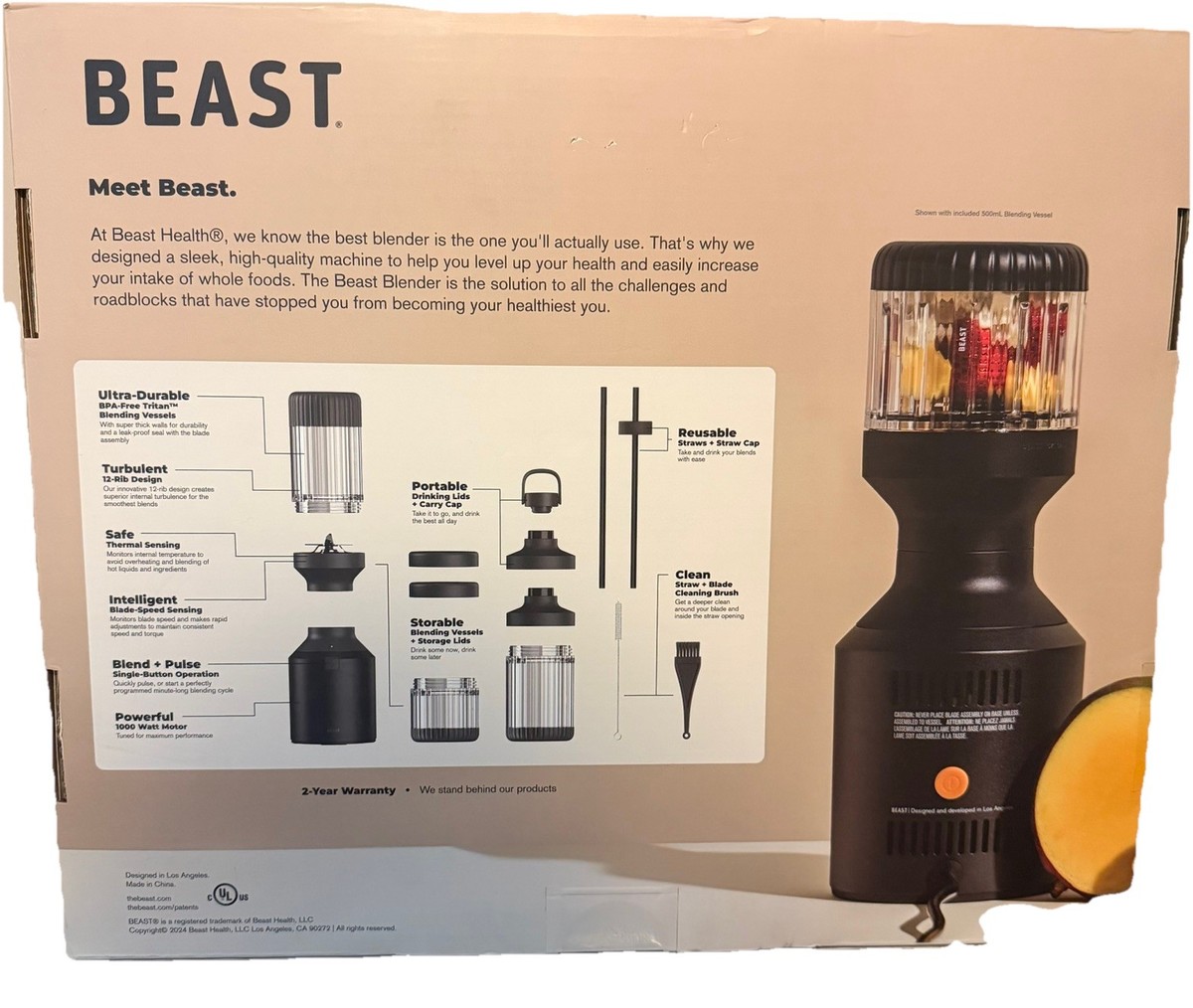
Frequently Asked Questions of beast blender stopped working
Why won’t my beast blender turn on at all?
Check the outlet, power cord, and any reset switches. If those are fine, an internal fuse or control board may be faulty.
My beast blender hums but blades don’t spin. What is wrong?
Humming with no rotation usually means a broken coupling, stripped drive socket, or seized blade bearing.
The beast blender starts then stops. Is it overheating?
Yes. The motor’s thermal protector likely trips. Let it cool, blend in shorter bursts, and reduce load.
Can I replace motor brushes myself on a beast blender?
If the model has user-accessible brushes, yes. Follow the manual and safety steps. If not, seek a technician.
Is it worth repairing a high-end beast blender motor?
Often yes, because parts and labor can be cheaper than replacing a premium unit. Check warranty and repair quotes first.
Conclusion
You now have a clear path to diagnose and repair why your beast blender stopped working. Start with safety checks and simple fixes, then move to parts like gaskets, couplings, and brushes before assuming motor failure. Regular maintenance and smart blending habits can keep your beast blender running for years. Try the troubleshooting steps, weigh repair costs against replacement, and share your results or questions below — I’d love to hear what worked for you or help troubleshoot further.