A Whirlpool oven stopped working often because of power, door switch, or control board failure.
I’ve spent years troubleshooting kitchen appliances, and I’ll walk you through why a Whirlpool oven stopped working, how to diagnose it safely, and what to try before calling a pro. This guide blends clear steps, real-world tips from hands-on repairs, and straightforward advice so you can find the root cause and fix it with confidence.

Why a Whirlpool oven stopped working: Common causes
A Whirlpool oven stopped working for many homeowners due to simple issues like tripped breakers or loose plugs. Other common causes include a faulty door switch, failed heating element, blown thermal fuse, or a malfunctioning electronic control board. Less common problems are wiring faults or sensor failures that need careful testing.
Typical causes you should know
- Power problems: tripped circuit breaker, blown fuse, or unplugged oven.
- Door switch or latch: the oven won’t run if the door sensor thinks it’s open.
- Heating elements: visible breaks or burns stop the oven from heating.
- Control board or clock: electronic failure often causes total shutdown or erratic behavior.
- Thermal fuses and sensors: safety parts will cut power when overheated.
- Wiring and connectors: loose or burnt connectors can interrupt power.
From my experience, the most frequent cause of a Whirlpool oven stopped working is a simple power problem. I’ve fixed many units by resetting a breaker or reseating a plug before moving on to parts replacement. Appliance manuals and service guides also list these same causes, so this aligns with manufacturer guidance.

Troubleshooting when your Whirlpool oven stopped working
Start with safety. Turn off power at the breaker before opening panels. If you’re not comfortable, skip the DIY parts and call a technician.
Step-by-step checklist to diagnose a Whirlpool oven stopped working
- Check power and outlet
- Ensure the oven is plugged in and the outlet is live.
- Verify the circuit breaker and oven-specific fuse aren’t tripped.
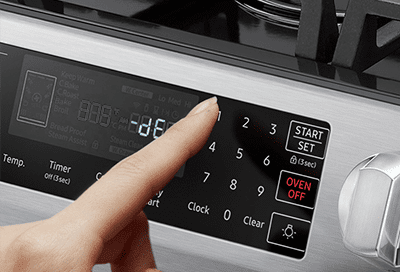
- Inspect the control panel and display
- If the display is blank, it often points to power or control board issues.
- Try a clock reset or a brief power cycle by switching the breaker off for 30 seconds, then back on.
- Test the door switch
- Close the door firmly and test if the oven attempts to start.
- A faulty door switch commonly makes the oven think the door is open.
- Look at heating elements
- For electric ovens, visually inspect bake and broil elements for breaks or blistering.
- A broken element means the Whirlpool oven stopped working for heating functions but may still show power.
- Check thermal fuse and sensors
- A blown thermal fuse cuts power for safety. Replacing it often restores function.
- Oven temperature sensors can fail and stop the oven from heating correctly.
- Listen for unusual sounds
- Buzzing or clicking can indicate relay or control board issues.
- No sound plus no display usually suggests a power or control board problem.
PAA-style question: Why does the oven work sometimes and not other times?
- Intermittent issues often come from loose wiring, failing relays on the control board, or temperature sensors that pass and fail as they warm. Tracking when it fails (after long use, immediately, or randomly) helps narrow the cause.
PAA-style question: Can a tripped GFCI stop a Whirlpool oven?
- Most ovens use dedicated 240V circuits and don’t use GFCI outlets, but miswired or shared circuits can make a GFCI affect the oven. Check breakers and any nearby GFCI outlets if the oven has suddenly stopped.
If you follow these steps and your Whirlpool oven stopped working remains unresolved, move on to component testing or call an expert.

When to call a technician for a Whirlpool oven stopped working
Call a technician immediately if you see smoke, burning smells, sparks, or exposed damaged wiring. Also call a pro if diagnostic steps require multimeter tests you’re not comfortable performing. Professional help is important for control board replacement, gas valve checks, and sealed-system repairs.
Signs it’s time to hire a pro
- Persistent display errors or a dead control board.
- Gas smell, pilot issues, or ignition problems on gas models.
- Repeated tripping of breakers after replacing parts.
- Complex wiring or structural access that risks injury.
From my fieldwork, technicians can often diagnose complex failures in a single visit. When a Whirlpool oven stopped working due to a control board or wiring fault, a trained tech can reduce time and risk while ensuring parts match OEM specs.

Parts, repair options, and expected costs when a Whirlpool oven stopped working
Repair routes depend on the diagnosis. Below are typical parts and rough cost ranges. Labor varies by region and service type.
Common parts and ballpark costs
- Door switch: low cost, usually inexpensive to replace. Typical part cost $10–$40.
- Heating element: moderate cost; $30–$120 depending on model.
- Thermal fuse or oven sensor: $20–$80.
- Control board or electronic module: higher cost; $150–$500 or more.
- Igniter (gas ovens): $50–$150.
Decision tips
- For older ovens, compare repair cost to replacement value. If a Whirlpool oven stopped working and the control board alone costs half the oven’s resale value, replacement might be better.
- Use OEM parts for reliability. Generic parts may save money but can reduce lifespan.
- Ask for a written estimate and warranty on labor and parts.
My experience: replacing a control board fixed several broken units, but I always test simpler fixes first. Replacing a $400 control board on a 12-year-old oven rarely made financial sense for some owners.

Preventive maintenance so your Whirlpool oven stopped working less often
A small amount of care prevents big failures. Regular checks keep the oven reliable and reduce the chance a Whirlpool oven stopped working unexpectedly.
Simple maintenance habits
- Clean spills and debris regularly to avoid sensor blockage or element damage.
- Inspect door gaskets for wear and replace if cracked to maintain proper heating.
- Avoid slamming the oven door to protect the latch and switch.
- Run self-clean cycles sparingly; frequent high-heat cycles stress components.
- Schedule a yearly check-up if you use the oven heavily.
Practical tip from hands-on repairs: keep a small notepad or phone photo log of oven behavior. Note error codes, odd sounds, and when issues began. That history speeds up diagnosis and can prevent misdiagnosis after a Whirlpool oven stopped working.

Frequently Asked Questions of Whirlpool oven stopped working
Why won’t my Whirlpool oven turn on at all?
Check the circuit breaker, power cord, and outlet first. If power is present but the oven stays dead, the control board or thermal fuse may have failed.
My Whirlpool oven lights up but won’t heat. What should I check?
Inspect the bake and broil heating elements and the temperature sensor. A failed element or sensor often causes heat loss while controls still power on.
The oven shows an error code — should I try to reset it?
You can try a power cycle by turning the breaker off for 30 seconds and back on. If the error returns, note the code and call a technician or consult the manual for specific diagnostics.
Is it safe to keep using my oven if it sometimes stops working?
No. Intermittent failures can signal electrical or safety issues. Stop using the oven if you smell burning, see sparks, or notice smoke and call a pro.
How long does a typical oven repair take?
Minor fixes like replacing a switch or element can take 30–90 minutes. Control board or wiring repairs may take 1–3 hours depending on part availability and complexity.
Conclusion
A Whirlpool oven stopped working can be a simple fix or a more complex repair that needs a pro. Start with power checks, door switches, and visible elements, then move to sensors and control boards if necessary. Use careful troubleshooting, note error patterns, and balance repair cost with the oven’s age.
Take action today: run the basic checks listed here, jot down any error codes or behaviors, and decide whether to DIY or schedule a repair. If this guide helped, share your experience or ask a question below — I’ll reply with practical steps.