
Most blenders fail because of motor overload, power issues, or a safety interlock problem.
I’ve fixed and tested dozens of blenders as part of home appliance repair work and DIY kitchen projects. In this guide I’ll explain why did my blender stop working, how to diagnose the problem, what you can safely try at home, and when to call a pro. Read on for step-by-step checks, simple fixes, and tips to avoid the same problem again.
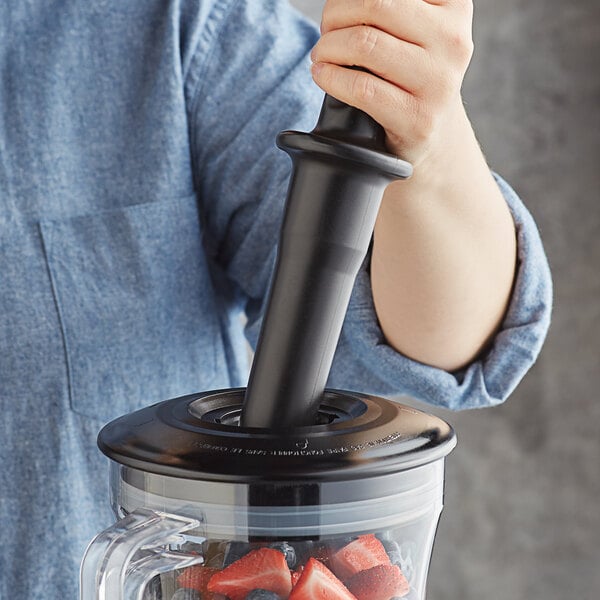
Common reasons your blender stopped working
Blenders are simple machines but have a few weak points. Knowing the usual causes makes it faster to find out why did my blender stop working. Below are the most common failures and a short explanation for each.
Power issues and outlet problems
- Tripped circuit or blown fuse can cut power to the blender.
- Faulty outlet or loose plug prevents the motor from getting electricity.
- Surge protection or GFCI outlets sometimes block power if they detect a fault.
Motor overload and thermal cutoff
- Running a blender too long or with very thick loads can overheat the motor.
- Many blenders have an internal thermal fuse that shuts the unit off to prevent damage.
- After cooling down, the blender may work again unless the thermal fuse is blown.
Jammed blades or stuck jars
- Food or ice can jam blades and stall the motor.
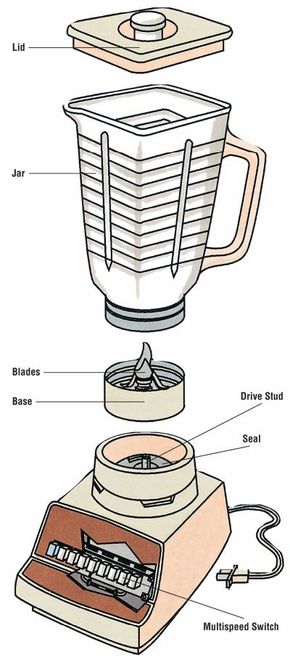
- If the jar or blade assembly isn’t seated properly, safety switches may stop the motor.
- Debris around the blade seal can lock the mechanism.
Worn brushes or motor wear
- Carbon brushes wear down over time on brushed motors.
- When brushes are too short, the motor won’t start or will run intermittently.
- Older motors may simply fail from age and repeated stress.
Faulty switches, controls, or electronics
- Broken power switches, speed dials, or electronic boards can stop operation.
- Control boards can fail from moisture or voltage spikes.
- Digital displays that power but do not spin often point to control faults.
Safety interlock and sensor issues
- Many blenders won’t start unless the jar and lid are properly aligned.
- Worn interlock sensors or alignment tabs can prevent the blender from running.
- Misplaced seals or clips can trigger a safety lock.
Wiring, plugs, and cord damage
- Frayed cords or broken wires inside the housing cut power flow.
- Loose internal connections cause intermittent stops.
- Pets, sharp edges, or repeated bending often cause cord faults.
Burnt smell or visible smoke
- A burnt smell usually means motor damage or overheated windings.
- If you smell burning or see smoke, stop using the blender immediately and unplug it.
- Continued use after burning can be a fire hazard.

How to diagnose a nonworking blender at home
Start with quick, safe checks before opening the unit. My approach is simple and keeps risk low. These steps answer the question why did my blender stop working in most home cases.
- Check the power source. Plug another appliance into the same outlet. If that appliance works, the outlet is fine.
- Inspect the cord and plug. Look for cuts, exposed wires, or bent prongs.
- Test the jar and lid. Remove the jar, then try the motor base if it has a test switch or diagnostic mode. Some bases run empty for a second.
- Listen and smell. A motor that hums but does not spin may be jammed or electrically impaired. A burnt smell means stop and seek repair.
- Let it cool. If the blender stopped after heavy use, wait 15–30 minutes and try again. Thermal protection may reset.
Simple fixes you can try safely
Many problems are easy to fix without tools or with common tools. Only perform fixes that do not require opening live wiring or voiding warranty. This list helps answer why did my blender stop working fast and safely.
- Reset breakers and try different outlets.
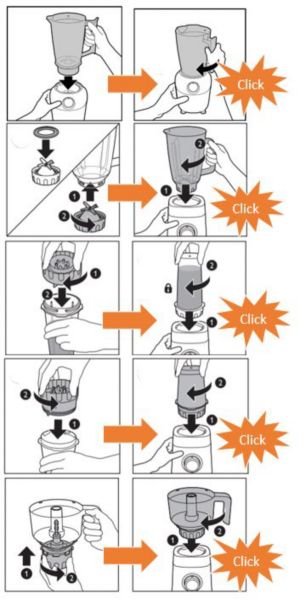
- Reseat the jar and lid. Ensure safety tabs click into place.
- Remove and clear jammed food. Use a wooden spoon or spatula—never your hand—while unplugged.
- Replace the blade assembly gasket if it leaks or binds. Gaskets are inexpensive and often solve jams.
- Replace worn brushes if your model has accessible brush plates. This often restores motor function on older blenders.
- Swap the fuse if you know the thermal fuse failed and you have the correct replacement part. Only do this if you are confident and follow the manual.
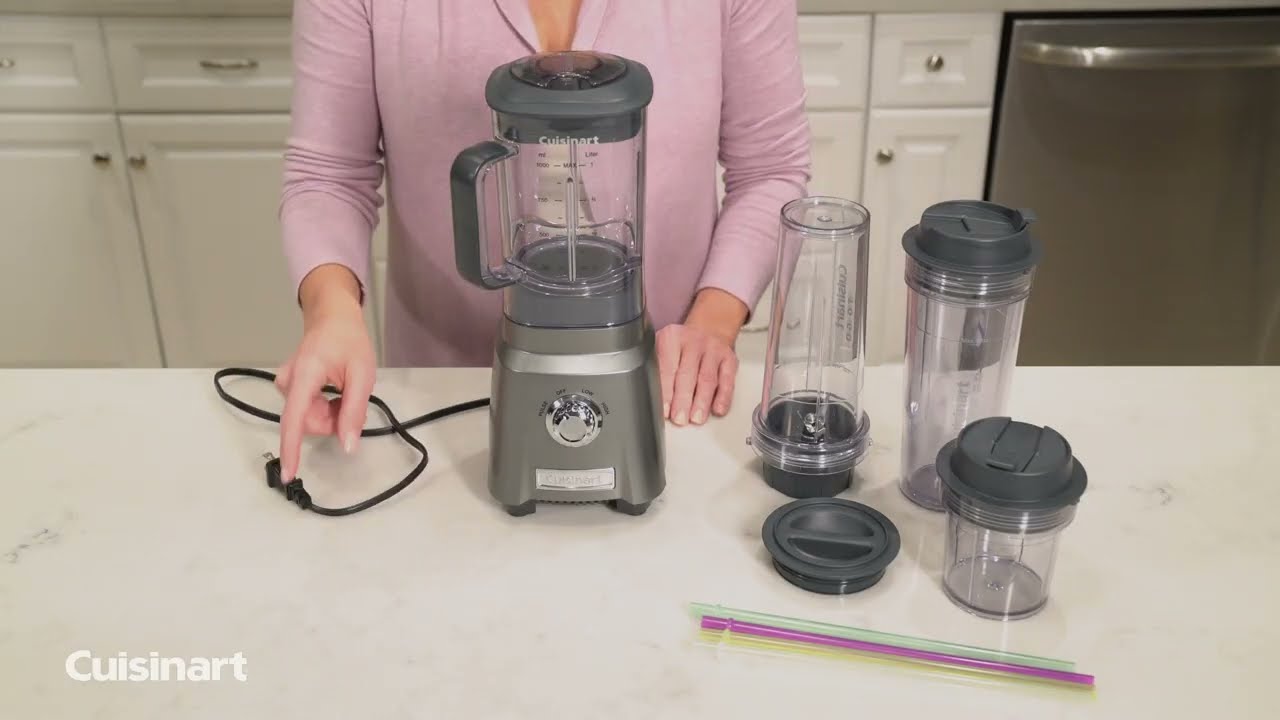
When to call a pro or replace your blender
Knowing when to stop is key. Trying advanced repairs without skill can be dangerous. Here’s how to decide if you should call a technician or buy a new blender.
- Call a pro if you smell burning, see smoke, or the motor hums but won’t spin after simple fixes. These signs often mean internal damage.
- Replace the blender if the cost of parts and labor exceeds 50% of a new unit’s price. Small, inexpensive blenders are often cheaper to replace.
- Seek professional repair for high-end blenders. Premium models can be worth fixing because parts and labor justify the cost.
- If the blender has no warranty and is very old, replacement may be the more reliable option.
Preventative maintenance tips to avoid future failures
A little care goes a long way. Apply these tips to reduce the chance you’ll ask why did my blender stop working again next month.
- Avoid overfilling and pulsing heavy loads. This reduces motor strain.
- Wash and dry the jar, blades, and base components regularly to prevent grime buildup.
- Let the motor rest between long blending sessions. Use short pulses to manage thick mixtures.
- Inspect the power cord and replace at the first sign of wear.
- Keep the blender on a stable surface and avoid sliding the jar against hard spots that wear the base.
Parts, costs, and expected lifespan
Understanding costs helps you decide between repair and replacement. These estimates are general and vary by brand and model.
- Blade assembly: Usually $10–$40 depending on quality and brand.
- Drive coupling or gasket: Typically $5–$25. These are common wear parts.
- Motor brushes: $5–$20; installation time may add labor cost.
- Control board or motor replacement: $80–$250 or more; often makes replacement more sensible for budget blenders.
- Typical lifespan: 3–10 years. Heavy use or commercial-style blending shortens life quickly.

Frequently Asked Questions of Why did my blender stop working
What should I check first if my blender suddenly stopped working?
Start with the power source: try a different outlet and check circuit breakers. Inspect the plug and cord for visible damage.
Why does my blender hum but not spin?
A humming motor often means a jammed blade, worn brushes, or a seized motor bearing. Unplug and clear jams, or have a tech inspect brushes and bearings.
Can I replace a thermal fuse myself?
You can replace a thermal fuse if you have the right part and basic tools, but only if you are comfortable with appliance disassembly and the blender is unplugged. If unsure, seek professional help.
Is it safe to run a blender without the jar to test the motor?
Some bases have a test mode, but running the blade drive without load can cause damage on some models. Follow your manual and avoid running for long periods.
How long do blender motors usually last?
Motor life depends on use and build quality; expect 3–10 years for consumer blenders with normal home use. High-use or underpowered motors fail sooner.
My blender stopped after blending ice. Is it ruined?
Not necessarily. Ice can overload the motor or jam blades. Let it cool, clear any jam, and try again at a lower speed. If it still fails, internal damage may need repair.
Conclusion
Blenders stop working for many clear reasons: power faults, jams, motor overload, worn parts, or safety interlocks. By using the checks and fixes here you can often diagnose why did my blender stop working and make safe repairs. If a burnt smell, smoke, or internal electrical failure is present, seek professional repair or replace the unit. Try the simple tips above, keep a small parts kit on hand, and treat heavy blending like exercise for your blender—short bursts and plenty of rest. If this guide helped, leave a comment with your blender model and problem, or subscribe for more appliance troubleshooting tips.