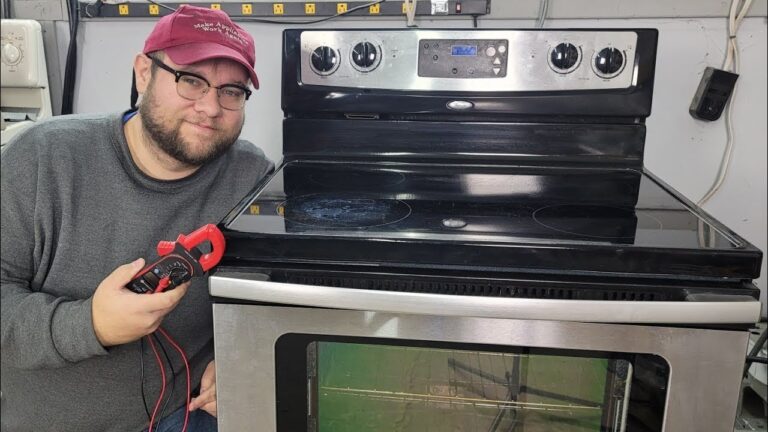
Most Samsung ovens stop due to power, control board, heating element, or sensor failure.
I’ve worked on dozens of ovens and fixed many Samsung oven stopped working problems. This guide walks you through common causes, safe troubleshooting, realistic repair costs, and when to call a pro. You’ll get step-by-step tests, real-life tips from hands-on experience, and clear next steps so you can diagnose and fix your Samsung oven stopped working issue with confidence.

Common reasons Samsung oven stopped working
Samsung oven stopped working can stem from basic power issues or internal parts failing. Start simple and move to complex causes.
Common causes to check:
- Power outage or tripped breaker. Always check the circuit breaker and outlet power first.
- Faulty oven door latch or door switch. If the door won’t lock, some models won’t start.
- Blown thermal fuse or internal fuse. These protect the oven and can stop operation.
- Failed heating element. The bake or broil element can burn out and stop heating.
- Temperature sensor or probe failure. If the sensor reads wrong, the oven will not heat.
- Control board failure. The main electronic board can fail and stop the oven from responding.
- Loose wiring or connector issues. Vibration and age can loosen connections.
- Error codes or software glitches. Some Samsung models show errors that point to parts or sensors.
Why these issues matter: Samsung oven stopped working problems often hide behind simple signs, so a systematic check saves time and money.

Troubleshooting steps to try at home (safe and simple)
If your Samsung oven stopped working, try these checks in order. Stop and call a pro if you feel unsure.
- Check power
- Confirm the oven is plugged in and the breaker is on.
- Test the outlet with a phone charger or lamp to confirm power.
- Look at the display and error codes
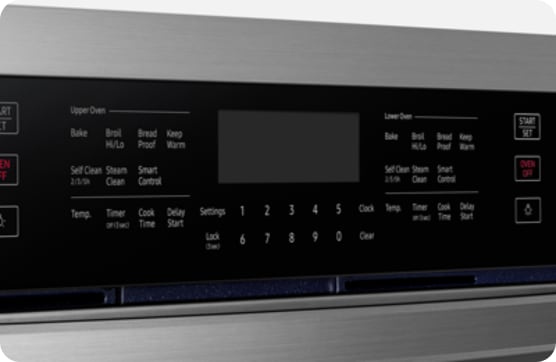
- Note any error code shown. Write it down and consult your manual.
- If the display is blank, it’s likely a power or control board issue.
- Reset the oven
- Turn the circuit breaker off for 60 seconds, then back on.
- Many electronic glitches clear with a full power reset.
- Inspect door and controls
- Make sure the door latches and seals properly.
- Test oven controls and knobs for physical damage.
- Test heating elements (visual and basic)
- Visually inspect the bake and broil elements for breaks or blisters.
- If one element glows when set but the oven still won’t heat, the control board or sensor may be at fault.
- Check the temperature sensor
- Locate the sensor inside the cavity and gently press it.
- Replace if it’s visibly damaged or giving erratic readings.
- Check fuses and wiring (only if comfortable)
- Unplug the oven or flip the breaker. Open access panels and look for blown fuses or loose wires.
- Use a multimeter only if you know how; otherwise call a technician.
- What if there’s power but the oven won’t start? Check the door latch, error codes, and control board after power checks.
- Can a bad sensor stop an oven completely? Yes—if the sensor reads incorrectly, many ovens will refuse to heat to prevent hazards.
These steps let you eliminate easy fixes before paying for parts or service, and they address the most common reasons Samsung oven stopped working.

When to call a professional
Call an appliance technician if your Samsung oven stopped working and:
- You see signs of electrical burning or smell burning.
- The control board or wiring looks damaged.
- Error codes persist after resets and basic checks.
- You lack tools or experience to test fuses or use a multimeter.
- The oven cycles power, trips breakers, or shows intermittent faults.
Why a pro helps: A certified technician can safely test high-voltage components, replace the control board, and correctly interpret error codes. This prevents misdiagnosis that can lead to repeat failure or safety risks.

Preventive maintenance to avoid Samsung oven stopped working issues
Simple care extends oven life and cuts breakdown risk. Follow these regular steps.
Routine maintenance tips:
- Clean spills promptly. Grease buildup can damage sensors and elements.
- Avoid using harsh chemicals on controls. Wipe with a soft, damp cloth.
- Inspect the door seal for wear and replace if torn. A tight seal ensures even heat.
- Run a self-clean cycle only as recommended. Excessive self-cleaning can strain components.
- Check and tighten visible screws and connections yearly.
- Keep the oven area well ventilated to avoid overheating electronics.
Small actions matter: Regular care reduces the chance your Samsung oven stopped working due to preventable wear.
Parts, repair costs, and what to expect
If your Samsung oven stopped working and needs parts, here are typical parts and rough cost ranges (parts plus labor vary by region).
Estimated costs:
- Heating element replacement: $30 to $150 for the part; $100 to $250 with labor.
- Temperature sensor: $20 to $80 for parts; $100 to $200 with labor.
- Control board (main PCB): $150 to $450 for the part; $200 to $500 with labor.
- Door latch or hinge: $30 to $120 for parts; $100 to $250 with labor.
- Thermal fuse or internal fuse: $15 to $60 for parts; $100+ with labor.
How to choose repair versus replace:
- Compare repair cost to oven age. If repair is more than half the price of a new oven and the unit is over 8–10 years old, replacement may be wiser.
- Factor in energy efficiency and updated features when deciding.
Being realistic about cost helps you decide fast when your Samsung oven stopped working.
Personal experience and lessons learned
I’ve repaired several Samsung ovens both as a trained technician and at home. One memorable case: the oven wouldn’t heat but the display worked. After power checks, I found a burned connection on the control board. Replacing the board fixed it and avoided needless element replacement.
Key lessons I learned:
- Always start with power and simple checks. Most fixes are simple.
- Keep the model and serial number handy before calling support. It speeds diagnosis.
- Photograph wiring before disconnecting it. That saves time on reassembly.
- Safety first: never test live circuits without the right tools and training.
These real-world tips can save time and money when your Samsung oven stopped working.

Frequently Asked Questions of Samsung oven stopped working
Why is my Samsung oven not turning on even though the display is blank?
If the display is blank, check the circuit breaker and power supply first. A blown internal fuse or failed control board can also cause a blank display.
My Samsung oven shows an error code—what should I do?
Write down the code and consult the manual or support line. Reset power first; if the code returns, a technician should diagnose the specific part.
Can I replace the heating element myself?
If you are comfortable with basic tools and have turned off power, you can replace a visible element. Stop and call a pro if wiring or connectors look damaged.
How long does a Samsung oven control board last?
Control boards can last many years, but heat and surges shorten life. If your oven is older than 8–10 years, replacement parts may become more frequent.
Is it safe to keep using an oven that stops mid-cycle?
No. If the oven stops mid-cycle, avoid using it until you diagnose the issue. Intermittent failures can indicate electrical faults that are unsafe.
Conclusion
If your Samsung oven stopped working, start with simple checks: power, breakers, display, and door. Use the step-by-step troubleshooting above to rule out easy fixes before spending on parts or service. When in doubt, call a certified technician to avoid safety risks and misdiagnosis. Take the next step by noting your model number, trying basic resets, and scheduling professional help if needed. If this guide helped, leave a comment with your model and symptoms or subscribe for more appliance troubleshooting tips.